Microsoft Microsoft PowerShell for Windows Training
€192,39€159,00Incl. btwExcl. btw
Op voorraad
Bestel deze unieke E-Learning Training Microsoft PowerShell for Windows online, 1 jaar 24/ 7 toegang tot rijke interactieve video’s, voortgangs door rapportage en testen.
Lees meer.
Maak een keuze
Officieel erkend testcentrum Online of fysiek examen afnemen
Bekroonde e-learning Inclusief proefexamens en 24/7 begeleiding
ISO 9001 & 27001 werkwijze 2.500+ organisaties gingen u voor
Maatwerk & gratis nulmeting Altijd op het juiste niveau gestart
Productomschrijving
Microsoft PowerShell for Windows E-Learning Training
Bestel vandaag nog de bekroonde Microsoft PowerShell voor Windows E-Learning cursus en krijg 1 jaar, 24/7 toegang tot een rijke leeromgeving met interactieve video’s, spraakondersteuning, praktische opdrachten en voortgangsrapportages. Na het succesvol afronden ontvang je een certificaat van deelname.
Microsoft PowerShell is een krachtige opdrachtregel- en scriptomgeving voor het beheren en automatiseren van taken in Windows-omgevingen. In deze cursus ontdek je hoe PowerShell toegang geeft tot een breed scala aan configuratie-opties voor zowel Windows-client- als serverbesturingssystemen.
Onderwerpen zijn onder andere:
Introductie tot de PowerShell-architectuur en syntax
Automatisering van beheertaken binnen Windows
Configuratiebeheer met scripts
Gebruik van cmdlets, loops en pipelines
Deze training biedt zowel basiskennis als verdieping, geschikt voor beheerders die meer controle en efficiëntie zoeken in hun Windows-omgevingen.
Waarom kiezen voor deze opleiding?
1 jaar onbeperkt toegang tot interactieve e-learning
Leer alles over PowerShell voor Windows-client- en serversystemen
Rijke mix van video’s, opdrachten en praktijkvoorbeelden
Ontwikkeld door gecertificeerde Microsoft-experts
Ideaal voor automatisering van beheertaken binnen Windows
Inclusief certificaat van deelname
Wie zou moeten deelnemen?
Systeem- en netwerkbeheerders in Windows-omgevingen
IT-professionals die beheer willen automatiseren met PowerShell
Beginners die PowerShell willen leren vanaf de basis
Gevorderde gebruikers die hun scripts willen verbeteren
Organisaties die Windows-beheer willen standaardiseren en versnellen
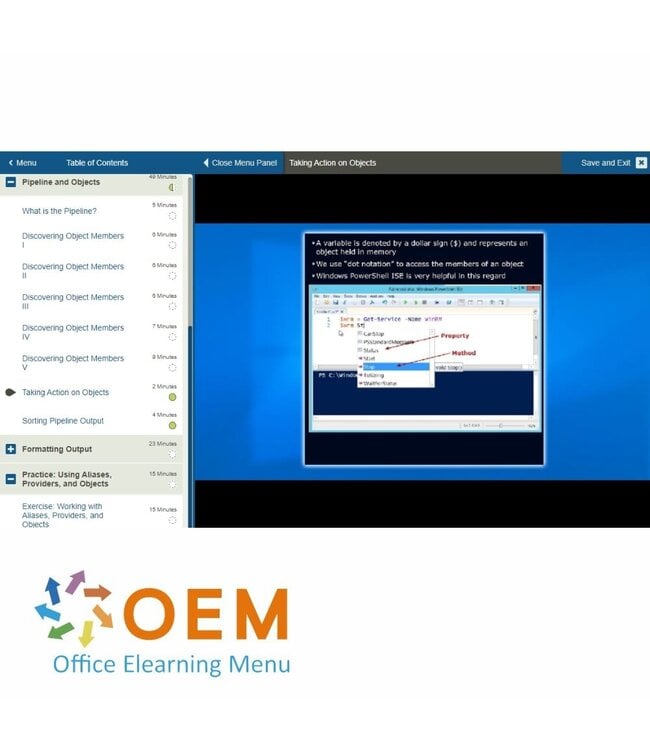
Demo Microsoft PowerShell for Windows Training
Cursusinhoud
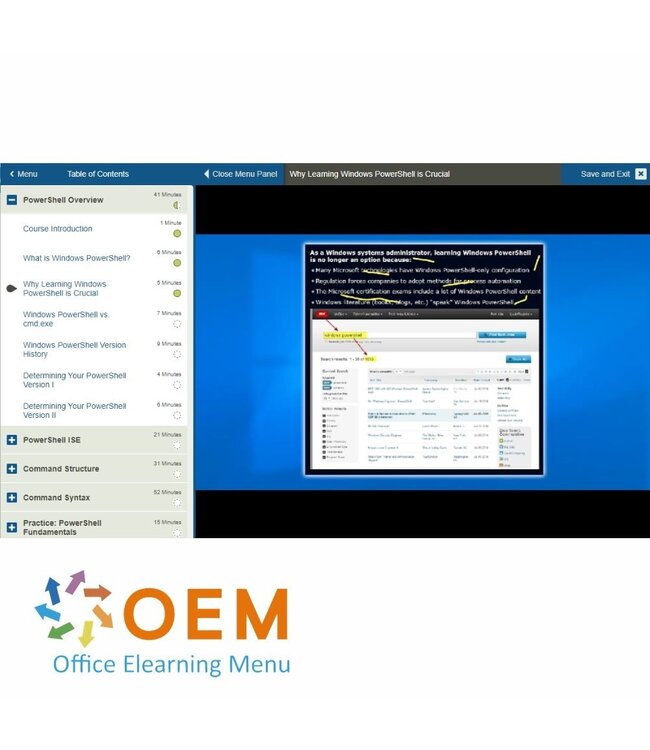
PowerShell Overview
Course: 41 Minutes
Course Introduction
What is Windows PowerShell?
Why Learning Windows PowerShell is Crucial
Windows PowerShell vs. cmd.exe
Windows PowerShell Version History
Determining Your PowerShell Version I
Determining Your PowerShell Version II
PowerShell ISE
Course: 21 Minutes
Windows PowerShell Global Suggestions
Windows Management Framework (WMF)
The Windows PowerShell ISE I
The Windows PowerShell ISE II
Other Windows PowerShell Host Applications
Command Structure
Course: 31 Minutes
What are Windows PowerShell Commands?
Cmdlet Structure
Familiar Commands in Windows PowerShell
Discovering New Commands
Updating Help
Command Syntax
Course: 52 Minutes
Discovering Windows PowerShell Commands I
Discovering Windows PowerShell Commands II
Accessing Your PowerShell Command History
Understanding PowerShell Help File Syntax I
Understanding PowerShell Help File Syntax II
Understanding PowerShell Help File Syntax III
Understanding the Help System
Practice: PowerShell Fundamentals
Course: 15 Minutes
Exercise: Using PowerShell
Aliases
Course: 32 Minutes
Course Introduction
What is an Alias?
Creating Your Own Aliases I
Creating Your Own Aliases II
Creating Your Own Aliases III
Saving Your Custom Aliases
Providers
Course: 36 Minutes
What are Providers?
Discovering and Accessing Providers I
Discovering and Accessing Providers II
Discovering and Accessing Providers III
Discovering and Accessing Providers IV
Discovering and Accessing Providers V
Pipeline and Objects
Course: 49 Minutes
What is the Pipeline?
Discovering Object Members I
Discovering Object Members II
Discovering Object Members III
Discovering Object Members IV
Discovering Object Members V
Taking Action on Objects
Sorting Pipeline Output
Formatting Output
Course: 23 Minutes
Formatting Windows PowerShell Output I
Formatting Windows PowerShell Output I7
Formatting Windows PowerShell Output III
Practice: Using Aliases, Providers, and Objects
Course: 15 Minutes
Exercise: Working with Aliases, Providers, and Objects
Heeft u vragen over dit product of hulp nodig bij het bestellen? Onze AI-chatbot is 24/7 beschikbaar, of neem contact op via [email protected] of bel +31 36 760 1019
Heeft u vragen over dit product of hulp nodig bij het bestellen? Onze AI-chatbot is 24/7 beschikbaar, of neem contact op via [email protected] of bel +31 36 760 1019
Wij gebruiken functionele en analytische cookies om onze website goed te laten werken en het gebruik ervan te meten met Google Analytics. Er worden geen persoonsgegevens gedeeld voor advertentiedoeleinden. Meer informatie vindt u in ons privacybeleid. Door op "Accepteren" te klikken geeft u toestemming voor het plaatsen van deze cookies.
Cookies beheren