Microsoft Microsoft PowerShell for Windows Training
€192,39€159,00Incl. taxExcl. tax
In stock
Order this unique E-Learning Training Microsoft PowerShell for Windows course online, 1 year 24/7 access to rich interactive videos, progress through reporting and testing.
Read more.
Make a choice
Officieel erkend testcentrum Online of fysiek examen afnemen
Bekroonde e-learning Inclusief proefexamens en 24/7 begeleiding
ISO 9001 & 27001 werkwijze 2.500+ organisaties gingen u voor
Maatwerk & gratis nulmeting Altijd op het juiste niveau gestart
Product description
Microsoft PowerShell for Windows E-Learning
Order the award-winning Microsoft PowerShell for Windows E-Learning Course today and get 1 year of 24/7 access to a rich learning platform featuring interactive videos, voice guidance, practical exercises, and progress tracking. Upon successful completion, you'll receive a certificate of participation.
Microsoft PowerShell is a robust command-line and scripting environment for automating and managing tasks across Windows desktop and server environments. This course reveals the full range of configuration capabilities available through PowerShell and provides hands-on experience with scripting techniques.
Key topics include:
PowerShell architecture and scripting fundamentals
Automating Windows administration tasks
Script-based configuration and management
Using cmdlets, loops, and pipelines effectively
The course is suitable for both beginners and advanced users aiming to gain more control over Windows systems.
Why Choose This Training?
1-year full access to interactive and award-winning e-learning
Learn PowerShell for both Windows client and server systems
Video tutorials, real-world examples, and hands-on tasks
Designed by certified Microsoft instructors
Perfect for automating day-to-day Windows management
Includes certificate of completion
Who Should Attend?
System and network administrators working with Windows
IT professionals looking to automate tasks via PowerShell
Beginners interested in scripting and automation
Experienced users aiming to improve their scripting skills
Organizations seeking to streamline Windows management
Demo Microsoft PowerShell for Windows Training
Course content
PowerShell Overview
Course: 41 Minutes
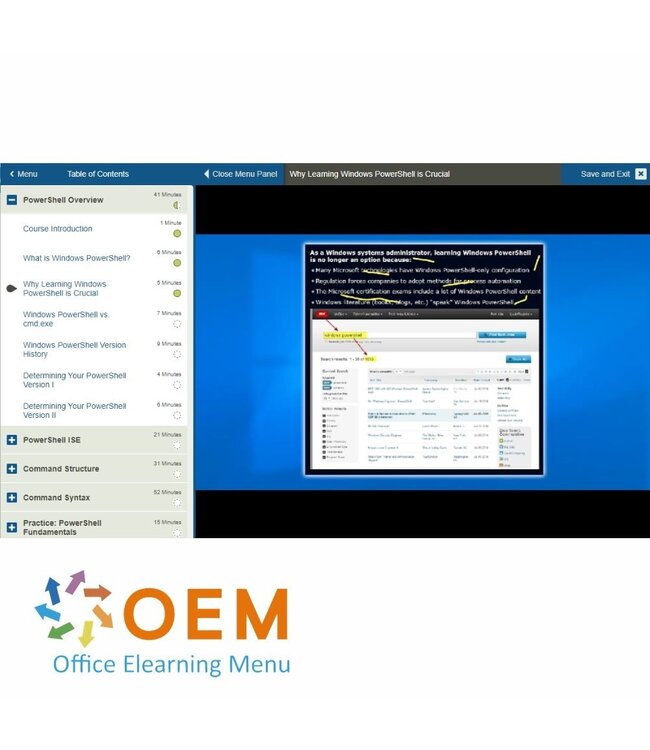
Course Introduction
What is Windows PowerShell?
Why Learning Windows PowerShell is Crucial
Windows PowerShell vs. cmd.exe
Windows PowerShell Version History
Determining Your PowerShell Version I
Determining Your PowerShell Version II
PowerShell ISE
Course: 21 Minutes
Windows PowerShell Global Suggestions
Windows Management Framework (WMF)
The Windows PowerShell ISE I
The Windows PowerShell ISE II
Other Windows PowerShell Host Applications
Command Structure
Course: 31 Minutes
What are Windows PowerShell Commands?
Cmdlet Structure
Familiar Commands in Windows PowerShell
Discovering New Commands
Updating Help
Command Syntax
Course: 52 Minutes
Discovering Windows PowerShell Commands I
Discovering Windows PowerShell Commands II
Accessing Your PowerShell Command History
Understanding PowerShell Help File Syntax I
Understanding PowerShell Help File Syntax II
Understanding PowerShell Help File Syntax III
Understanding the Help System
Practice: PowerShell Fundamentals
Course: 15 Minutes
Exercise: Using PowerShell
Aliases
Course: 32 Minutes
Course Introduction
What is an Alias?
Creating Your Own Aliases I
Creating Your Own Aliases II
Creating Your Own Aliases III
Saving Your Custom Aliases
Providers
Course: 36 Minutes
What are Providers?
Discovering and Accessing Providers I
Discovering and Accessing Providers II
Discovering and Accessing Providers III
Discovering and Accessing Providers IV
Discovering and Accessing Providers V
Pipeline and Objects
Course: 49 Minutes
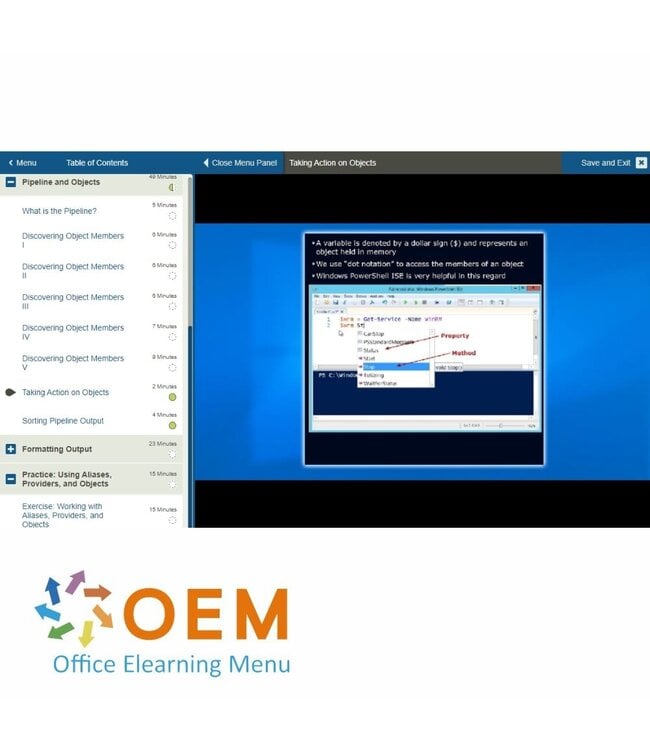
What is the Pipeline?
Discovering Object Members I
Discovering Object Members II
Discovering Object Members III
Discovering Object Members IV
Discovering Object Members V
Taking Action on Objects
Sorting Pipeline Output
Formatting Output
Course: 23 Minutes
Formatting Windows PowerShell Output I
Formatting Windows PowerShell Output I7
Formatting Windows PowerShell Output III
Practice: Using Aliases, Providers, and Objects
Course: 15 Minutes
Exercise: Working with Aliases, Providers, and Objects
Heeft u vragen over dit product of hulp nodig bij het bestellen? Onze AI-chatbot is 24/7 beschikbaar, of neem contact op via [email protected] of bel +31 36 760 1019
Heeft u vragen over dit product of hulp nodig bij het bestellen? Onze AI-chatbot is 24/7 beschikbaar, of neem contact op via [email protected] of bel +31 36 760 1019
Wij gebruiken functionele en analytische cookies om onze website goed te laten werken en het gebruik ervan te meten met Google Analytics. Er worden geen persoonsgegevens gedeeld voor advertentiedoeleinden. Meer informatie vindt u in ons privacybeleid. Door op "Accepteren" te klikken geeft u toestemming voor het plaatsen van deze cookies.
Manage cookies