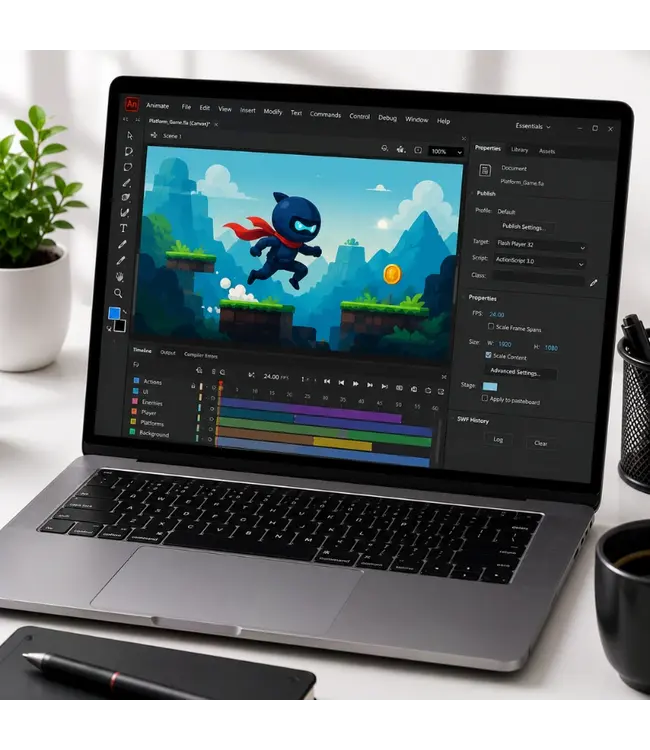
Learn to work with Adobe Animate CC with this e-learning from OEM. 365 days access, including practical exercises. Take your creative skills to the next level.
Read more.
Bulk discount
No discount
1 Piece
€180,29€149,00
13% Discount
5 Pieces
€157,30€130,00/ Piece
19% Discount
11 Pieces
€145,20€120,00/ Piece
26% Discount
31 Pieces
€133,10€110,00/ Piece
33% Discount
61 Pieces
€121,00€100,00/ Piece
40% Discount
101 Pieces
€108,90€90,00/ Piece
Make a choice
Officieel erkend testcentrum Online of fysiek examen afnemen
Bekroonde e-learning Inclusief proefexamens en 24/7 begeleiding
ISO 9001 & 27001 werkwijze 2.500+ organisaties gingen u voor
Maatwerk & gratis nulmeting Altijd op het juiste niveau gestart
Product description
Adobe Animate CC 2021 Course E-Learning
Order this great Adobe Animate CC 2021 E-Learning course online and get 1 year of 24/7 access to rich interactive videos, voice-guided lessons, practical assignments, progress tracking via reports, and quizzes to test your knowledge. After completing the course, you will receive a certificate of participation.
Demo Adobe Animate CC 2021 Cursus E-Learning
This course teaches you what to expect when working in the animation industry — from setting up and customizing documents and the interface, to creating and modifying animations and multimedia elements, and finally publishing your work for web and screen.
It also prepares you for a career in animation and helps you get ready for the Adobe Certified Professional (ACP) exam in Adobe Animate.
Why Choose This Training?
Learn Adobe Animate CC 2021 at your own pace
Develop real-world skills in animation and multimedia design
Includes interactive videos, exercises, quizzes, and progress reports
Prepares you for Adobe Animate certification
Certificate of participation included after course completion
Who Should Attend?
Animators, motion designers, and web content creators
Creative professionals or students in media and design
Teachers and educators wanting to use interactive content
Anyone looking to start or boost a career in animation
Course content
Domain 1: Working in the Animation Industry Course: 59m 46s
Domain 1 Pre-Assessment
Workbook and Support Files
Lesson 1 - Purpose, Audience, and Communication; Copyright, Permissions, and Licensing
Introduction
How to Study for This Exam
Tour of Adobe Animate
Content and Its Relevance
Identify Requirements
Techniques for Communication Ideas
Basic Project Management Concepts
Cloud Collaborations
Legal and Ethical Considerations
Location and Model Releases
Multiplatform Animation Terms
Animation Terms
Interactive Media Knowledge
Domain 1 Lesson 1 Labs
Domain 1 Lesson 1 Workbook Projects
Lesson 2 - Basic Design, Animation, and Interactive Media Principles
Common Design Principles
Typographic Adjustments
Animation Principles
Interactive Media Principles
Domain 1 Lesson 2 Labs
Domain 1 Lesson 2 Workbook Projects
Domain 1 Post-Assessment
Domain 2: Project Setup and Interface Course: 1h 51m 31s
Domain 2 Pre-Assessment
Lesson 1 - Settings and Workspace
Set Appropriate Settings
Document Presets
Create a Document Template
Manage Document Settings
Animate Interface Elements
Organize the Workspace
Domain 2 Lesson 1 Labs
Domain 2 Lesson 1 Workbook Projects
Lesson 2 - Customize Workspaces
Configure Application Preferences
Navigate a Document
Use Timeline Tools
Customize the Tools Panel
Use Guides and Grids
Domain 2 Lesson 2 Labs
Domain 2 Lesson 2 Workbook Projects
Lesson 3 - Import and Manage Assets
Import Media from Outside Sources
Manage Assets
Symbol Details
Other Library Assets
Load External Media
Domain 2 Lesson 3 Labs
Domain 2 Lesson 3 Workbook Projects
Lesson 4 - Colors, Swatches, Gradients, Presets
Fill and Stroke Colors
Create Gradients
Create and Manage Swatches
Create Presets
Edit Presets
Domain 2 Lesson 4 Labs
Domain 2 Lesson 4 Workbook Projects
Domain 2 Post-Assessment
Domain 3: Organization of Documents Course: 36m
Domain 3 Pre-Assessment
Lesson 1 - Manage Layers and Layer Visibility
Manage Single Layers
Manage Multiple Layers
Camera Layers
Recognize Types of Layers
Manage Content Over Time
Visibility and Transparency
Work with Masks
Domain 3 Lesson 1 Labs
Domain 3 Lesson 1 Workbook Projects
Domain 3 Post-Assessment
Domain 4: Create and Modify Multimedia Elements Course: 2h 46m 14s
Domain 4 Pre-Assessment
Lesson 1 - Element Tools and Features
Create Vector Graphics
Brush Tools
Create Shapes
Modify and Edit Vector Graphics
Fluid Brush and Ink Bottle Tool
Domain 4 Lesson 1 Labs
Domain 4 Lesson 1 Workbook Projects
Lesson 2 - Add and Manipulate Text
Use Type Tools to Add Typography to a Project
Adjust Character Settings
Adjust Paragraph Settings
Convert Text to Graphics
Configure Dynamic Text and Input Areas
Domain 4 Lesson 2 Labs
Domain 4 Lesson 2 Workbook Projects
Lesson 3 - Work with Selections
Selection Tools
Modify and Refine Selections
Group or Ungroup Selections
Domain 4 Lesson 3 Labs
Domain 4 Lesson 3 Workbook Projects
Lesson 4 - Manipulate Digital Graphics Part 1
Rotate, Flip, and Transform
Modify Views with the Camera Tool
Basic Auto-Correction Tools
Domain 4 Lesson 4 Labs
Domain 4 Lesson 4 Workbook Projects
Lesson 5 - Manipulate Digital Graphics Part 2
Use Vector Tools
Adjust Object Appearance
Convert Between Bitmaps and Vectors
Domain 4 Lesson 5 Labs
Domain 4 Lesson 5 Workbook Projects
Lesson 6 - Effects, Graphic Styles, and Animations
Heeft u vragen over dit product of hulp nodig bij het bestellen? Onze AI-chatbot is 24/7 beschikbaar, of neem contact op via [email protected] of bel +31 36 760 1019
Heeft u vragen over dit product of hulp nodig bij het bestellen? Onze AI-chatbot is 24/7 beschikbaar, of neem contact op via [email protected] of bel +31 36 760 1019
Wij gebruiken functionele en analytische cookies (Google Analytics). Geen persoonsgegevens voor advertenties. Kies hieronder of beheer uw voorkeuren.
Manage cookies