
















Microsoft Copilot Training
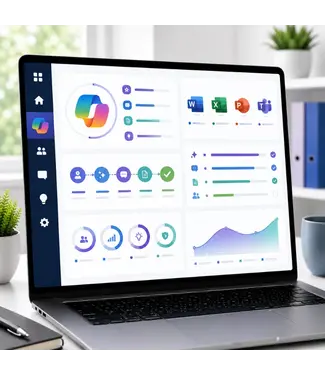
Microsoft Copilot is the AI assistant deeply integrated into Microsoft 365. In Word, Excel, PowerPoint, Outlook, Teams and more, Copilot helps employees work faster and smarter by automating tasks, summarising text, analysing data and generating content. OEM offers a complete range of Microsoft Copilot training courses, from e-learning for individual users to official Microsoft in-company programmes for organisations.
Every training is delivered by a certified ICT trainer and provides 365 days of online access.
What is Microsoft Copilot?
Microsoft Copilot combines large language models (LLMs) with the data and context of your Microsoft 365 environment. Copilot works across all familiar Microsoft applications and helps employees draft documents in Word, analyse data in Excel, create presentations in PowerPoint, manage email in Outlook and summarise meetings in Teams. Copilot Studio makes it possible to build custom Copilot agents for specific business processes.
Who are these Microsoft Copilot training courses for?
OEM's Microsoft Copilot training courses are suitable for employees who want to use Copilot effectively in their daily work, team leaders and managers who want to achieve productivity gains with AI, IT professionals and administrators who want to implement and manage Copilot via MS-4017, and executives and senior managers who want to understand how Copilot can strengthen their organisation via the MS-4008 Executive Experience.
Not sure which Copilot training suits you best? Our AI assistant Sanne is ready to help at www.officeelearningmenu.nl. You can also request a free quote via our quote page.
Our Microsoft Copilot training offer
E-learning for users
- Microsoft 365 Copilot E-Learning — Introduction to Microsoft 365 Copilot. Learn to use Copilot effectively in Word, Excel, PowerPoint, Outlook and Teams. 365 days access.
- Microsoft 365 Copilot for Business E-Learning — Copilot training specifically focused on business applications and productivity improvement within organisations.
- Copilot for Microsoft 365 E-Learning Package — Complete e-learning package for Microsoft 365 Copilot. From basic skills to advanced applications across all Microsoft 365 applications.
- Copilot with Power Automate and Power Pages E-Learning — Use Copilot for automation with Power Automate and building pages with Power Pages.
Official Microsoft in-company training courses
- MS-4005: Craft Effective Prompts for Microsoft 365 Copilot | In-company Training — Learn to write effective prompts for Copilot. The key to better results across all Microsoft 365 applications.
- MS-4007: Microsoft 365 Copilot User Enablement | In-company Training — Activate your employees for Copilot use. Practical adoption training for the entire organisation.
- MS-4008: Microsoft 365 Copilot Interactive Experience for Executives | In-company Training — Interactive Copilot experience specifically for executives and senior managers. Discover how AI supports strategic decision-making.
- MS-4017: Manage and extend Microsoft 365 Copilot | In-company Training — Management and extension of Microsoft 365 Copilot for IT professionals and administrators.
- MS-4018: Draft, Analyze and Present with Microsoft 365 Copilot | In-company Training — Draft documents, analyse data and create presentations with Copilot in Word, Excel and PowerPoint.
- AI-3018: Copilot Foundations | In-company Training — The foundations of Copilot for AI-driven organisations. From fundamental concepts to practical application.
- Microsoft 365 Copilot | In-company Training — Practical Copilot training tailored to your organisation. At your location or in Almere, maximum 12 participants per group.
Copilot Studio and agents
- Microsoft Copilot Studio | In-company Training — Build custom Copilot agents for specific business processes. Low-code AI development with Microsoft Copilot Studio.
- PL-7008: Build Agents in Microsoft Copilot Studio | In-company Training — Official Microsoft PL-7008 programme. Build, configure and deploy agents in Copilot Studio for your organisation.
- GH-300: GitHub Copilot Training — AI-driven coding assistance with GitHub Copilot. Increase your development speed and code quality with AI code completion.
Copilot in Office training courses
- Microsoft Word 365 Basic In-company Training with Copilot — Word basic training including Copilot features for more efficient document creation and editing.
- Microsoft Word 365 Advanced In-company Training with Copilot — Advanced Word training with Copilot for complex documents and advanced features.
- Microsoft Word 365 Expert In-company Training with Copilot (AI) — Expert-level Word training with full Copilot integration for the most demanding documents.
- Excel Power Pivot In-company Training with Copilot — Power Pivot and advanced data analysis in Excel, enhanced with Copilot for faster insights.
In-company Microsoft Copilot training
Do you want to train your team in Microsoft Copilot? OEM provides fully customised in-company Copilot training at your location or in Almere. From broad user enablement for the entire organisation to targeted training for specific roles or departments.
Every in-company training includes a free intake consultation in advance, a certificate of participation in PDF and an evaluation afterwards. Maximum 12 participants per group. Larger groups are split into two groups on the same day.
Request a quote directly via our quote page or contact us via our contact page.
Why follow a Microsoft Copilot training at OEM?
OEM is a recognised Microsoft Learning Partner and official Pearson VUE exam centre with more than 3,500 satisfied clients and an average review score of 9.1 on Springest. Our Copilot training courses are delivered by certified ICT trainers with proven practical experience in Microsoft 365 and AI applications.
All e-learning courses are immediately available after ordering. Order before 17:00 and you start today.
Also check out our related training courses for AI and Automation, Machine Learning and Microsoft Power Platform for a complete AI learning path.
Do you have questions or would you like to put together a customised learning path? Our AI assistant Sanne is available 24/7 at www.officeelearningmenu.nl.