












Which level suits you? Ask Sanne
Sanne, our AI assistant, helps you choose the right Office course and level 24/7, with the price and a direct order link. Click the orange chat button in the bottom right. Prefer to call? +31 36 760 1019.
Work faster and smarter with Office
Most employees use only a fraction of what Excel, Word and Outlook can do. That costs time every day. A formula you do not know, a table you format by hand, an inbox that overflows. With the right Office course you win that time back.
At OEM you learn Microsoft Office at your own level. Online at your own pace, or with your team through in-company training. From computer basics to Expert.
Who is it for?
- Employees: you want to work faster and make fewer mistakes in the programs you use every day.
- Job seekers and returners: you want to strengthen your CV with verifiable Office skills.
- HR and L&D: you want to bring an entire department to the same level, with measurable results.
- Organisations in transition: during a move to Microsoft 365 you want everyone to work well from day one.
Microsoft Office courses by program
- Excel: formulas, PivotTables, charts, Power Query and Power Pivot. The most requested program. For example the Excel 365 Basic course or the Excel 365 course with skills assessment.
- Word: styles, templates, tables of contents, mail merge and long documents.
- Outlook: email, calendar and tasks under control. Less searching, more overview.
- PowerPoint: presentations that convince, with corporate style, animations and smart layouts.
- Teams and SharePoint: collaborating, meeting and sharing files in Microsoft 365.
- OneNote and Visio: organising notes and visualising processes.
Want everything in one package? Choose a complete Office 365 course covering Excel, Word, Outlook and PowerPoint. See all Microsoft Office trainings.
At your own level: Basic, Intermediate or Expert
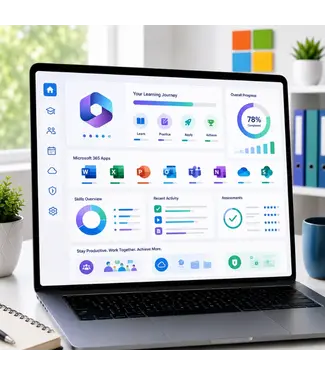
Every course has three levels. Basic for beginners, Intermediate for daily users, Expert for those who want to get everything out of it. Unsure? Take the free skills assessment. In about ten minutes you know where you stand. Choose a course with a skills assessment and the e-learning automatically builds a personal learning path. You only practise what you have not mastered yet.
Digital skills
Not everyone starts with Excel. Sometimes the basics come first: working with Windows, managing files, staying safe online. For that there are courses in computer skills and productivity and collaboration. Want to type faster without looking at the keyboard? Choose the online touch typing course. Everything about digital skills.
Google Workspace
Does your organisation use Google instead of Microsoft? Then learn to work with Gmail, Docs, Sheets, Slides and Drive in our Google Workspace courses.
E-learning or in-company?
- E-learning: you work in real Office software in the cloud, at your own pace, with 365 days of access. Login details within one business day. An Excel course starts from €90.95.
- In-company: a Microsoft Certified Trainer trains your team at your location or online, using your own files. Up to 12 participants per group, from €1,299 per group.
What does it deliver?
An employee who masters Excel and Outlook quickly gains an hour a week. For a team of ten, that is more than a full working day every week. You also make fewer mistakes in reports and everyone works the same way. That way you get maximum return from your training budget.
Prove your skills with MOS
Want to prove that you master Office? Earn the Microsoft Office Specialist certificate. A certification package includes the e-learning, a practice test and the official exam. Everything about certifications.
Why Office training with OEM?
- Authorised Microsoft Learning Partner
- MOS-certified trainers and Microsoft Certified Trainers
- Official test centre for Microsoft, Certiport and Pearson VUE
- Working methods based on ISO 9001 and ISO 27001
- Trusted by more than 2,500 organisations, Springest score 9.1
Frequently asked questions about Office courses
Which Office version do I learn?
The e-learning is available for Microsoft 365, 2021 and 2019. In-company we work with the version your organisation uses.
Do I need Office on my computer?
Not for the e-learning. It runs in the cloud, so all you need is a browser.
Which level should I choose?
Take the free skills assessment. In about ten minutes it shows whether Basic, Intermediate or Expert suits you.
Do I receive a certificate?
Yes. With the e-learning you receive a certificate of participation when you complete at least 70%. For an official certificate, choose a MOS exam.
Is the course available in English?
Yes. The Office e-learning is available in English, Dutch, German, French and Spanish.
Can I ask a question outside office hours?
Yes. Sanne, our AI assistant, is available 24/7 via the chat in the bottom right. She helps you choose and gives you the price and the order link.
Ready to work smarter? Choose your course above, or request a quote for your team.